Getting Started with cURL

i was a nobody until the covid-19 and like most of the devs from this covid-19 wave, i too started learning something to transition from that nobody to somebody/someone because i had some spare time during 😉 & after all those online classes.
so fast-forward ⏩ to 2025 i am currently a frontend developer who
- is still learning basics of javascript
- primarily uses CSS for styling
- ships a couple of apps every now and then
- uses react.js as the primary framework
impact:
- Sep,2022 developed the first website aka current one for MuLearn Foundation
- 2023 developed the web app for MuLearn Foundation, used by over 30,000+ students
- 2024 - present co-founded the event management and ticketing platform makemypass.com along with few sub-products such as hoogo, premote, quizit, jusvote, leadx
- 2025 - present working at ente.io
What is cURL
In simple terms cURL mean clientURL, so what the heck is client URL. This was my first reaction when i heard about this keyword. and the issue was on my END. Because it was supposed to be thought of as two different words like CLIENT + URL.
so coming in depth a bit more, a CLIENT is something that requests data and from where do we request the data it’s the URL. so that’s how i assume this wording came in place
SO cURL is basically a interface by which we can sent and receive data from URL.
AND if we think one more step deeper, URLs actually point to a server which therefore. we can say
cURL is a tool which can be used to transfer data to and from the server.
Why do programmers need cURL?
TBH, this heading actually questions whether i am a programmer or not :) as i don’t use this cURL in my life most of the time, maybe because i was unware of it’s existence or better phrasing could be USAGE.
SO, why do programmers need this
One thing is Instead of relying on a browser or GUI tools, cURL allows direct communication with APIs and web servers from the terminal using simple commands.
and it’s fast, scriptable, and precise. It’s commonly used to test GET and POST requests, debug APIs, verify server responses, download resources, and automate network tasks making it a lightweight but powerful tool in everyday development workflows.
the above two paras are partially AI because IDK what cURL is used for so yes.
Making the first REQ with cURL
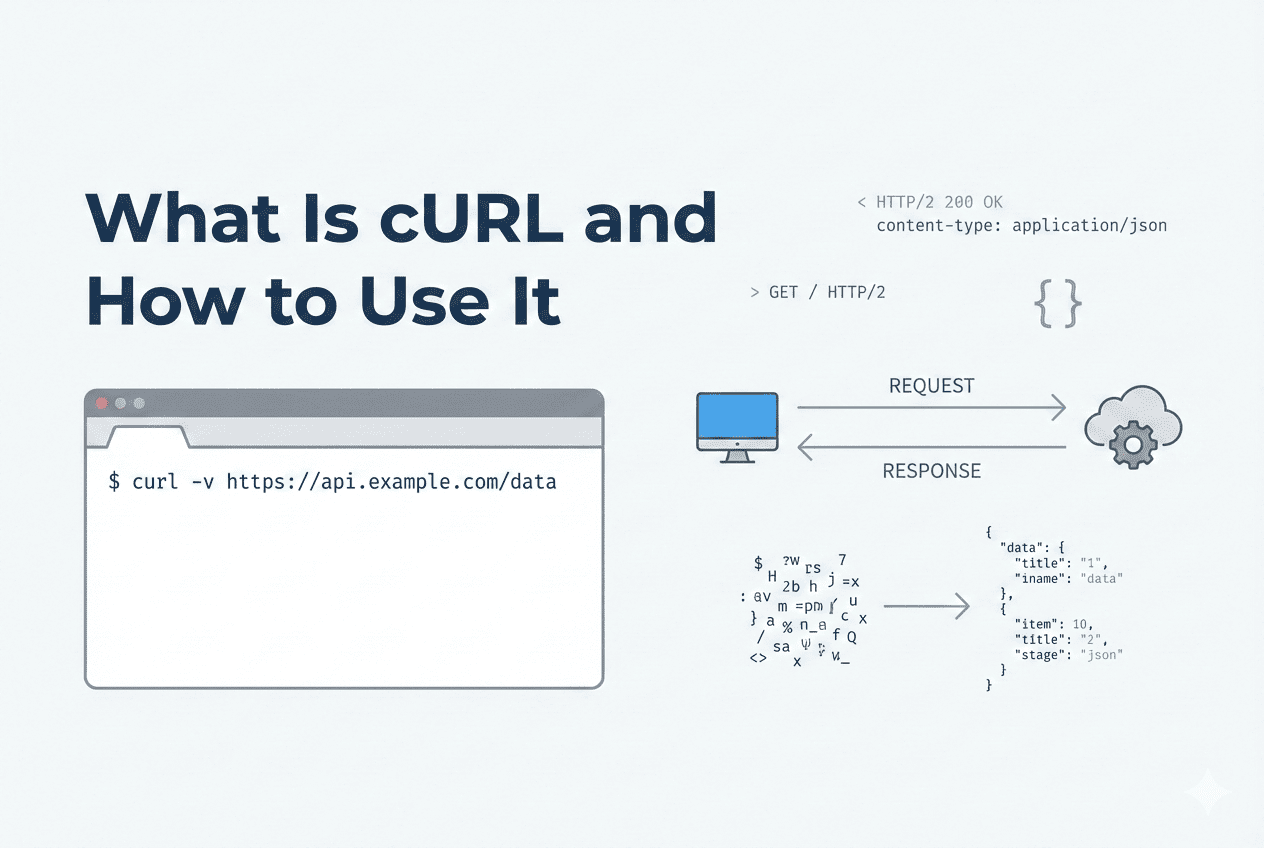
finally, something easy
curl URL
curl https://info.cern.ch/hypertext/WWW/TheProject.html
this is all you have to do inorder you do your first request with cURL and that’s it, YES this is IT. But do make sure you have installed the cURL in your machine. in linux and mac ig the come by default.
and what this actually does is outputs the whole code of the website, or page
not sharing it here since it’s quite BIG OF THING for itself. also the -v in the image indicates it gives the output in a more verbose mode
Understanding Request and Response
In the above what i did like the cURL URL
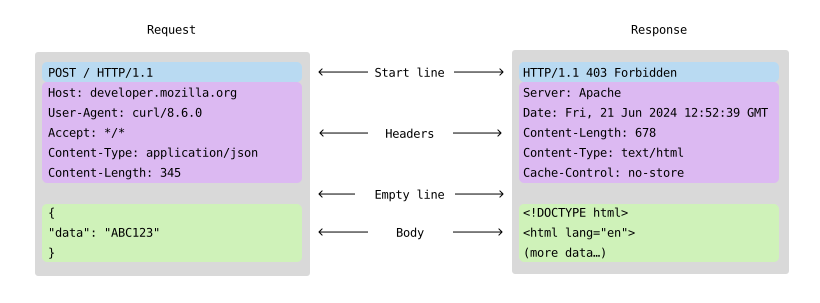
this was the request
and when i did that, I got the below code as the response. which is actually the code for the first every website out there.
So in more technical terms, request is the process when the client actually requests the server for a particular data and the response is the one which the server responds with for the client request
and this response will be accompanied with the status code as well indicating there status
if the page was a redirection they the cURL command would response with say 307 and the user must add the -l to get the actually page and so on.
<HEADER>
<TITLE>The World Wide Web project</TITLE>
<NEXTID N="55">
</HEADER>
<BODY>
<H1>World Wide Web</H1>The WorldWideWeb (W3) is a wide-area<A
NAME=0 HREF="WhatIs.html">
hypermedia</A> information retrieval
initiative aiming to give universal
access to a large universe of documents.<P>
Everything there is online about
W3 is linked directly or indirectly
to this document, including an <A
NAME=24 HREF="Summary.html">executive
summary</A> of the project, <A
NAME=29 HREF="Administration/Mailing/Overview.html">Mailing lists</A>
, <A
NAME=30 HREF="Policy.html">Policy</A> , November's  <A
NAME=34 HREF="News/9211.html">W3  news</A> ,
<A
NAME=41 HREF="FAQ/List.html">Frequently Asked Questions</A> .
<DL>
<DT><A
NAME=44 HREF="../DataSources/Top.html">What's out there?</A>
<DD> Pointers to the
world's online information,<A
NAME=45 HREF="../DataSources/bySubject/Overview.html"> subjects</A>
, <A
NAME=z54 HREF="../DataSources/WWW/Servers.html">W3 servers</A>, etc.
<DT><A
NAME=46 HREF="Help.html">Help</A>
<DD> on the browser you are using
<DT><A
NAME=13 HREF="Status.html">Software Products</A>
<DD> A list of W3 project
components and their current state.
(e.g. <A
NAME=27 HREF="LineMode/Browser.html">Line Mode</A> ,X11 <A
NAME=35 HREF="Status.html#35">Viola</A> ,  <A
NAME=26 HREF="NeXT/WorldWideWeb.html">NeXTStep</A>
, <A
NAME=25 HREF="Daemon/Overview.html">Servers</A> , <A
NAME=51 HREF="Tools/Overview.html">Tools</A> ,<A
NAME=53 HREF="MailRobot/Overview.html"> Mail robot</A> ,<A
NAME=52 HREF="Status.html#57">
Library</A> )
<DT><A
NAME=47 HREF="Technical.html">Technical</A>
<DD> Details of protocols, formats,
program internals etc
<DT><A
NAME=40 HREF="Bibliography.html">Bibliography</A>
<DD> Paper documentation
on  W3 and references.
<DT><A
NAME=14 HREF="People.html">People</A>
<DD> A list of some people involved
in the project.
<DT><A
NAME=15 HREF="History.html">History</A>
<DD> A summary of the history
of the project.
<DT><A
NAME=37 HREF="Helping.html">How can I help</A> ?
<DD> If you would like
to support the web..
<DT><A
NAME=48 HREF="../README.html">Getting code</A>
<DD> Getting the code by<A
NAME=49 HREF="LineMode/Defaults/Distribution.html">
anonymous FTP</A> , etc.</A>
</DL>
</BODY>
Using cURL to talk to APIs
Think of cURL like texting an API directly from your terminal. No browser, no Postman, no UI/ just you and the server having a straight-up conversation. You give it a URL and say “yo, send me this data” (GET) or “hey, take this data” (POST), and it responds back with the result usually JSON. It’s fast, raw, and kinda addictive once you start using it.
So, the syntax for GET iS simple as we saw earlier
curl https://jsonplaceholder.typicode.com/users
for the POST request it’s bit TUF, since we need to add the payload and things in the request as well.
curl -X POST https://api.example.com/posts \
-H "Content-Type: application/json" \
-d '{"title":"hello"}'
Now, before going into what these XHd are specically lets use our TINGLING SENSEs to guess what they are
-X could be the attribute defining the METHOD, -H could be the one preceeding the content type and -d the PAYLOAD and guess what we are right

this is what GPT gave me when i asked what they were.
Common Mistakes Beginners Make
ig i am way to beginner to be even typing this, since i am at that point where even i don’t that the knowledge to tell what these are so, let’s ask our good old friend again.
Forgetting GET is default — You don’t need
-X GET. curl already assumes GET, chill.Using
-dand thinking it’s still GET — The moment you add-d, curl switches to POST mode. Plot twist unlocked.Not setting JSON headers — Sending JSON without
-H "Content-Type: application/json"makes servers confused and grumpy.Messing up quotes in JSON — Use single quotes outside and double quotes inside:
-d '{"name":"aswin"}'or your command goes boom.Not using
-vwhen things break — If curl acts sus, run with-vand see the full request/response drama.


